Cash Out on WhatsApp is currently unavailable for PropNex and Huttons agents. You can continue to cash out through the LytePay Mobile App or Web App.
A New Way to Access Your Commissions
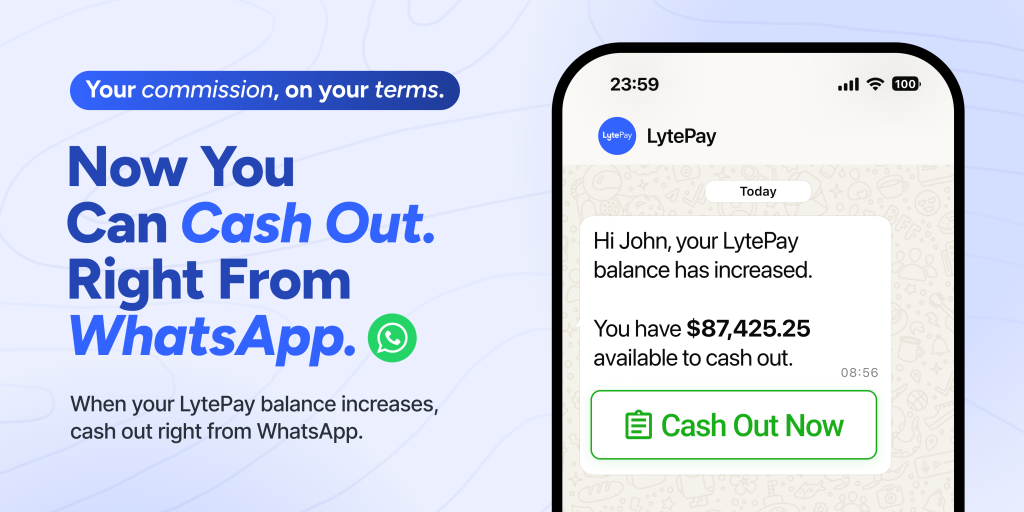
Your LytePay Balance updates already come to you on WhatsApp. Now, you can cash out directly from WhatsApp too.
Cash Out from Where You Already Are
💰 View your latest LytePay Balance from WhatsApp
⚡ Cash out in just a few taps without leaving the chat
💵 Choose how much you want to cash out
🔒 Cash out securely with an email OTP verification before you submit
How It Works
Step 1: Tap “Cash Out Now”
When your LytePay Balance increases, you’ll receive a notification on WhatsApp. Simply tap “Cash Out Now” to get started.
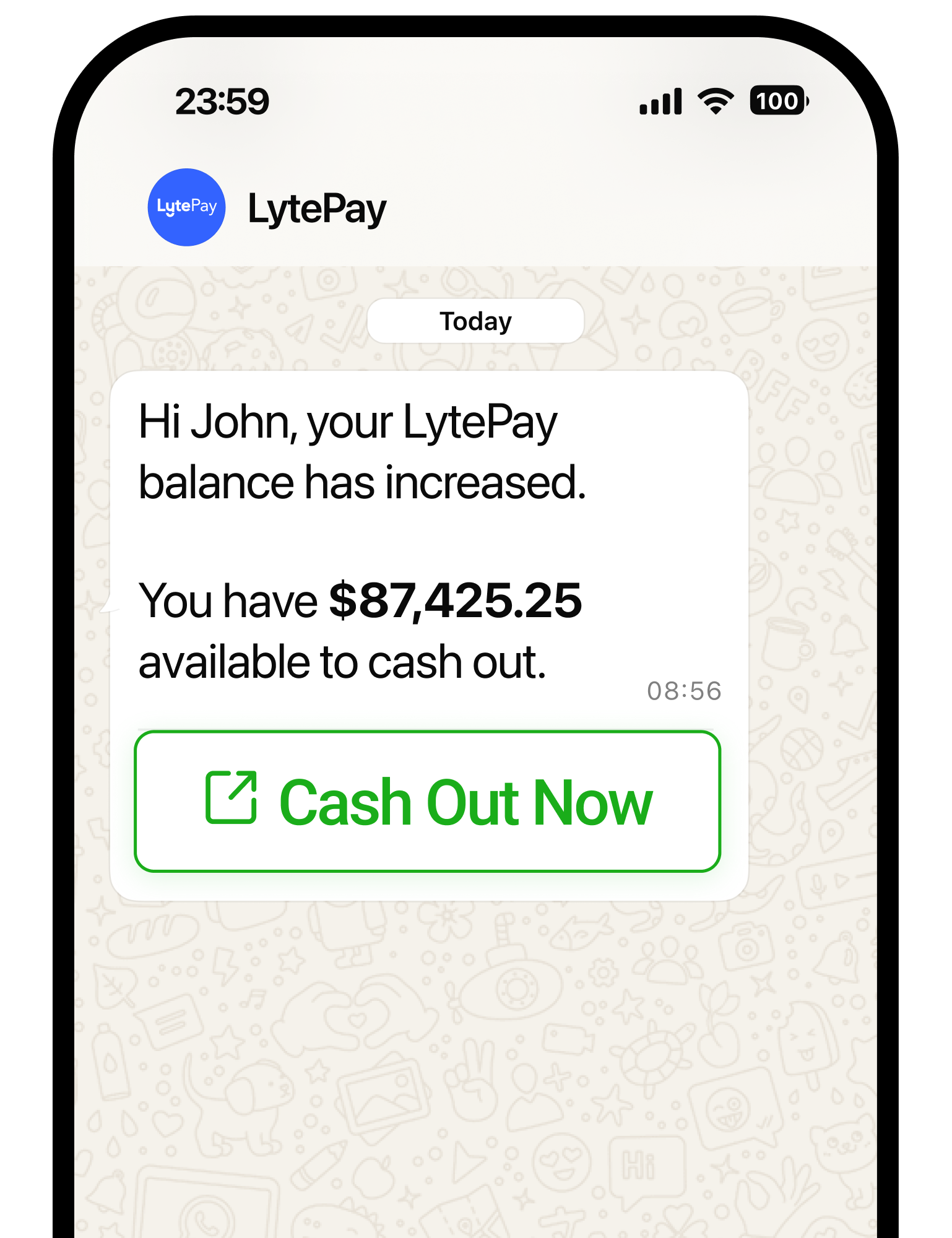
Step 2: Choose your cash out amount
Select one of the suggested amounts or enter a custom amount.
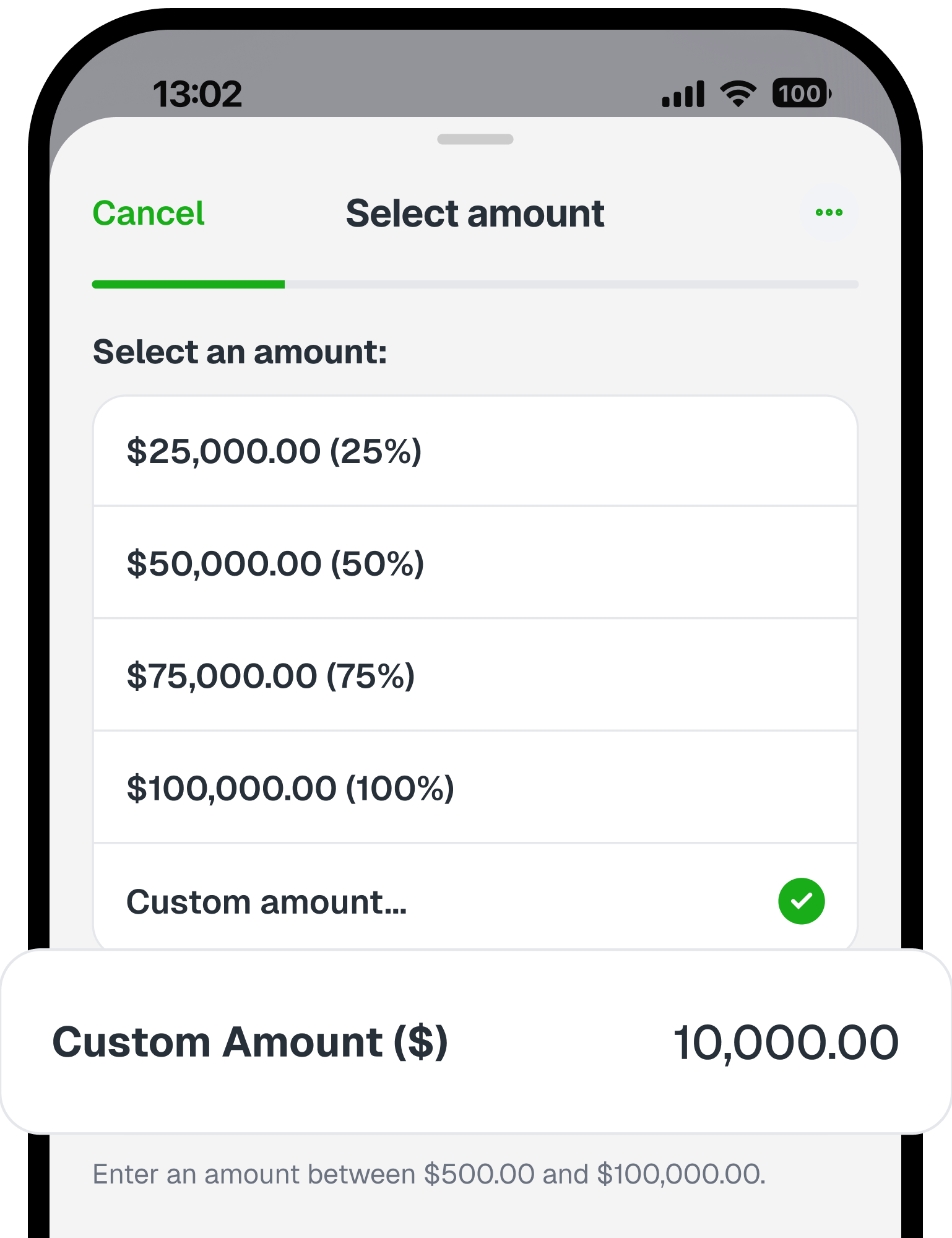
Step 3: Review your cash out
Confirm the amount you’ll receive.
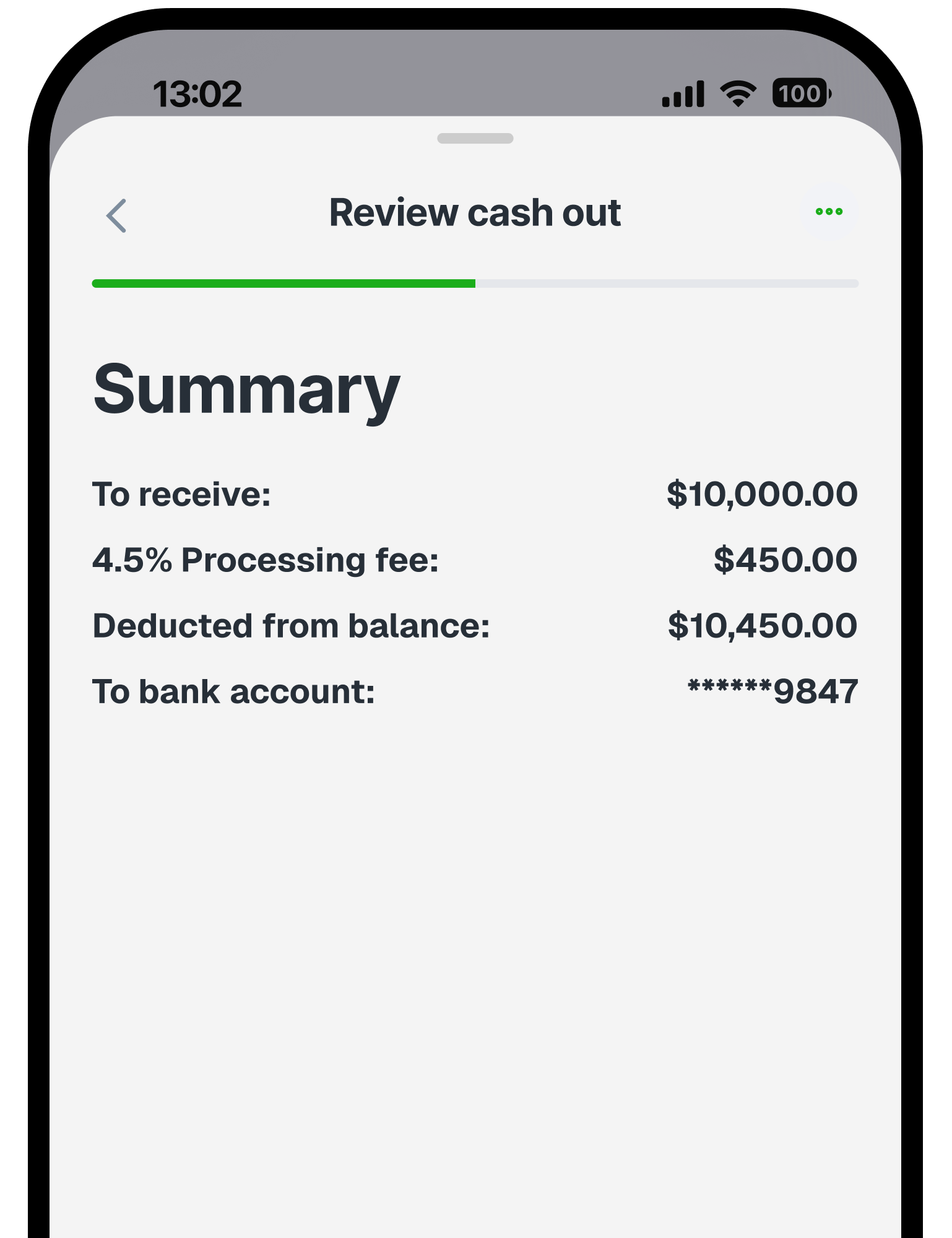
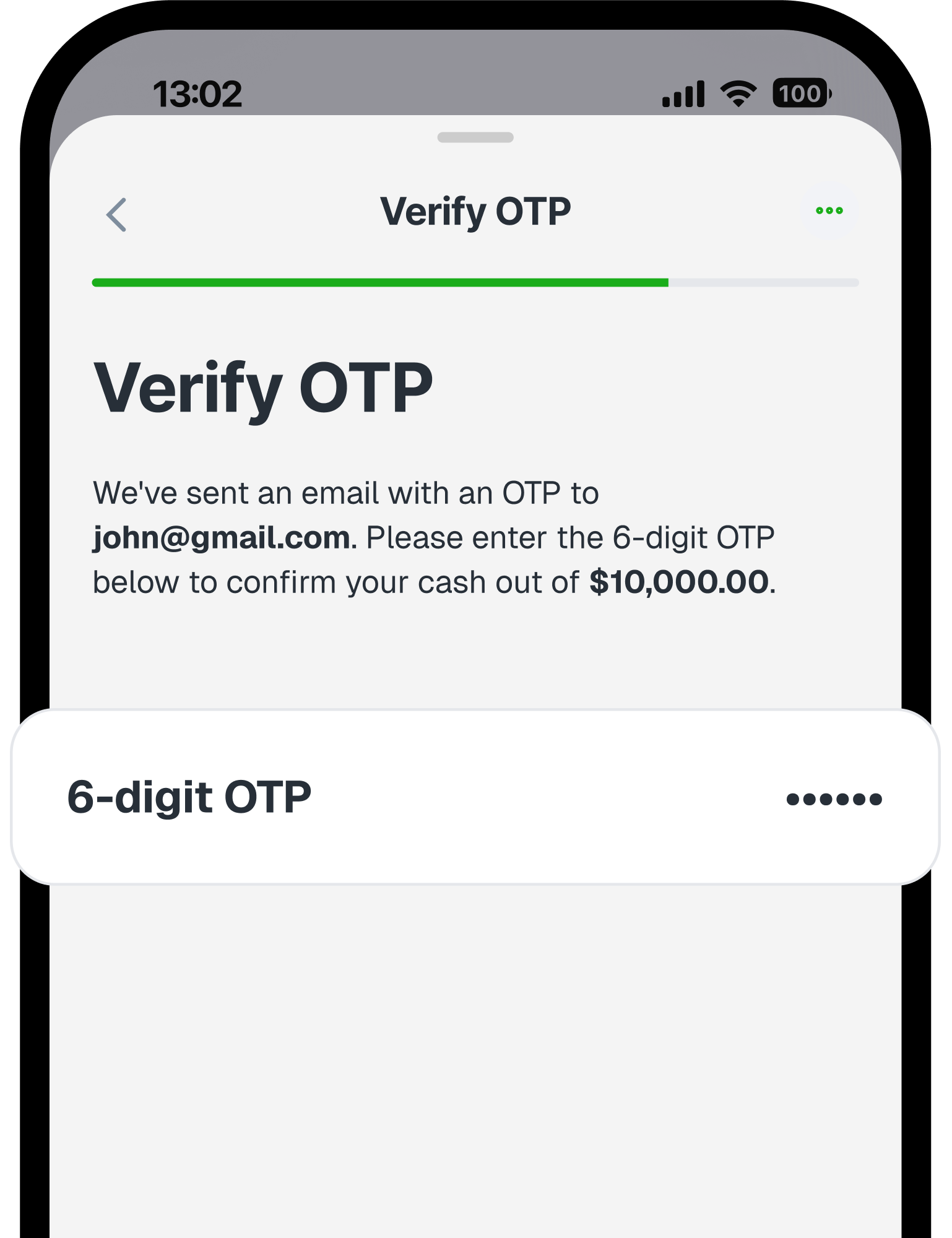
Step 4: Verify securely
Enter the 6-digit OTP sent to your LytePay-registered email to confirm your request.
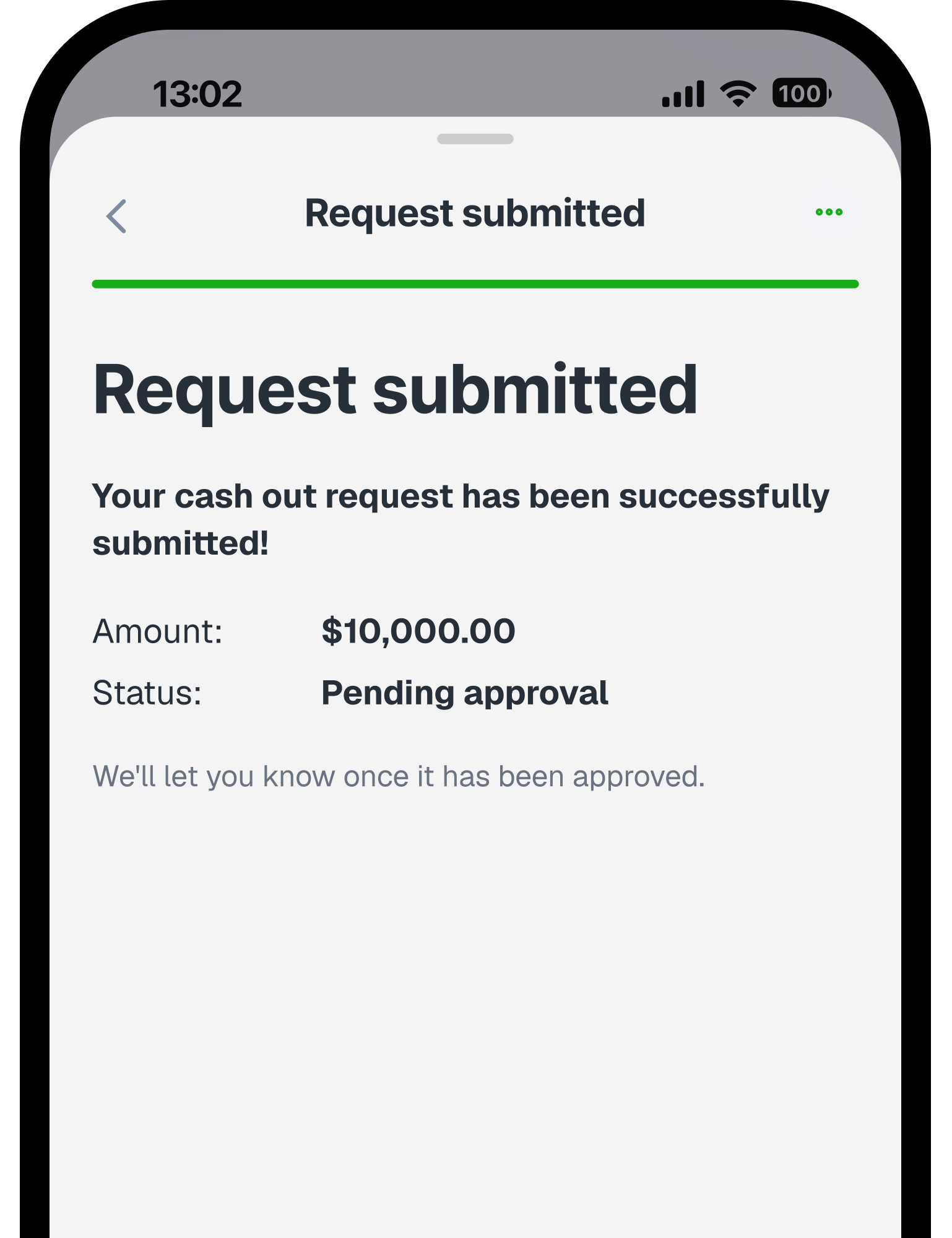
Step 5: Your cash out is on the way!
Once approved, you can receive your commission in as fast as 1 business day. We’ll update you by email and SMS when it’s paid.
Frequently Asked Questions
What is Cash Out on WhatsApp?
Cash Out on WhatsApp lets you view your latest LytePay Balance and submit a cash out directly from your LytePay WhatsApp update, without logging in to the Mobile App or Web App.
Is Cash Out on WhatsApp available to all LytePay users?
Cash Out on WhatsApp is currently unavailable for PropNex and Huttons agents. You can continue to cash out through the LytePay Mobile App or Web App.
How do I cash out on WhatsApp?
When you receive a LytePay Balance update on WhatsApp, tap “Cash Out Now”, choose how much you want to cash out, review your details and verify with the 6-digit OTP sent to your LytePay-registered email.
Which WhatsApp number will the message come from?
Your LytePay Balance updates will be sent from our official WhatsApp number, +65 8825 8498.
Is it secure to cash out through WhatsApp?
Yes. Before your cash out is submitted, you’ll need to verify it with a 6-digit OTP sent to your LytePay-registered email for added security.
Do I need to log in to LytePay to cash out on WhatsApp?
No. You can complete your cash out directly within WhatsApp without logging in to the LytePay Mobile App or Web App.
Can I choose how much I want to cash out?
Yes. You can select from the available amounts shown or enter your own amount, up to your available LytePay Balance and a maximum of S$100,000 per cash out.
Can I use a promo code when cashing out on WhatsApp?
Promo codes are currently not supported for cash outs on WhatsApp. To use a promo code, please cash out through the LytePay Mobile App or Web App.
How many times can I cash out from one WhatsApp update?
You can submit one cash out request for each LytePay Balance update on WhatsApp. To submit additional cash out requests, use the LytePay Mobile App or Web App.
What happens after I submit my cash out?
Once submitted, your cash out will be processed as usual. You will receive your commissions in as fast as 1 business day, and we’ll notify you via email and SMS once it’s paid.
If you have the LytePay Mobile App, you’ll also receive a push notification.
No switching between apps. No extra log-ins. Everything happens right where you already are.
Your commission, on your terms.


